Best Shared To-Do List & Reminder Apps in 2026
2026-04-10
Updated 10th April 2026
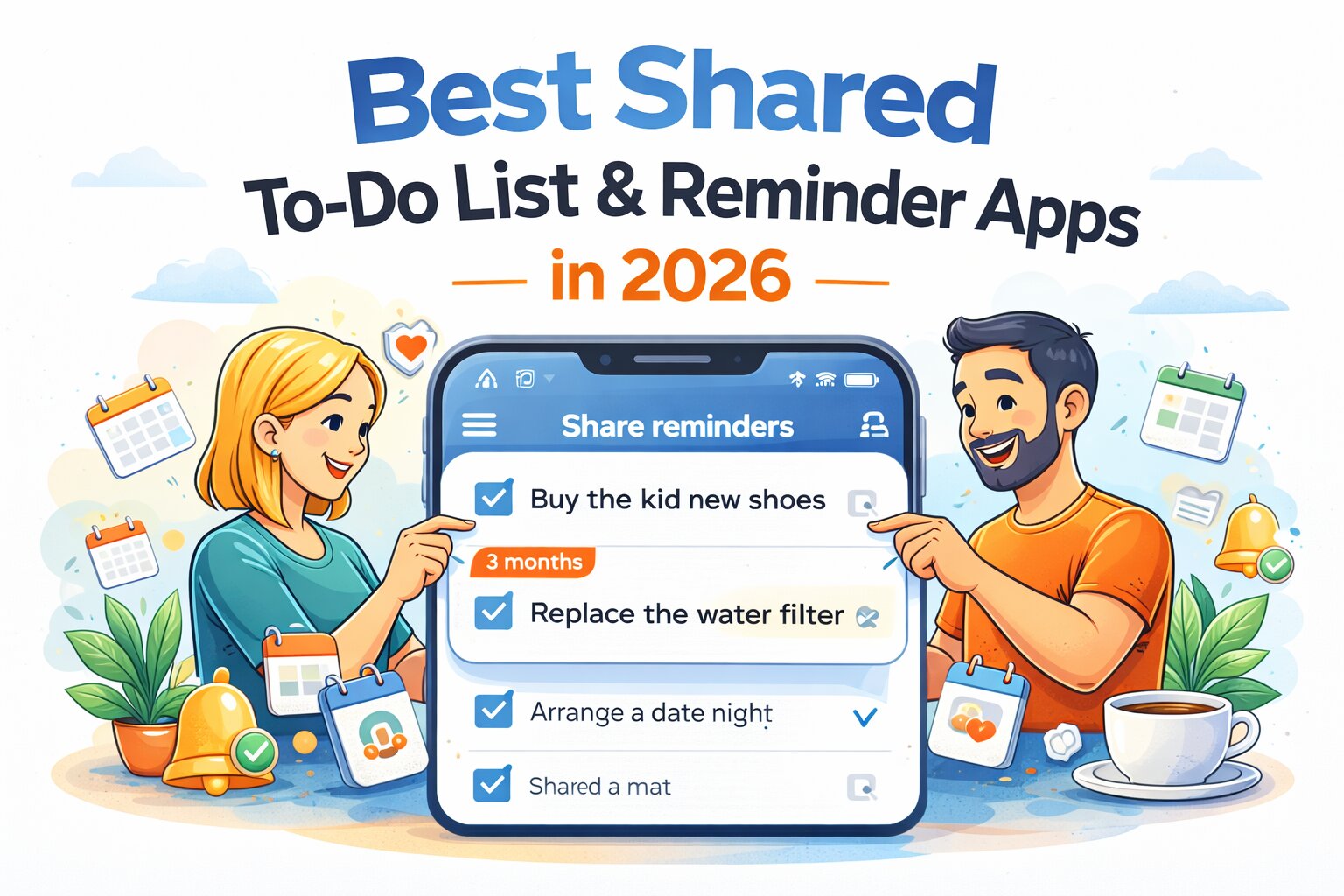
Shared to-do lists sound like a great idea.
Two people. One list. Everything organised. Nothing forgotten.
In reality, most shared task systems slowly turn into:
- one person adding everything
- one person remembering everything
- one person mentally tracking everything
…and the other person occasionally ticking something off and feeling helpful.
That’s not a shared system.
That’s one person carrying the mental load, with a slightly nicer interface.
Why most shared to-do apps don’t actually work
The problem isn’t sharing tasks.
It’s how those tasks behave after they’re created.
Most shared apps:
- rely on someone checking the app
- send reminders to one person
- use rigid recurring schedules
- make tasks easy to dismiss and forget
So things like:
- “replace the water filter”
- “buy the kid new shoes”
- “change the bedding”
- “book a dentist appointment”
- “check in with family”
…still end up living in one person’s head.
Research around cognitive load and task management shows that when responsibility isn’t clearly externalised, one person tends to become the “default memory system.” That’s not a feature. That’s how burnout quietly starts.
Source: https://www.ncbi.nlm.nih.gov/pmc/articles/PMC7750536/
What actually makes a good shared to-do app?
A shared system only works if:
- both people see the same reminders
- tasks don’t disappear after one dismissal
- recurring tasks don’t rely on fixed timing
- anyone can act on the task
- it works across devices and ecosystems
- it reduces thinking, not adds to it
And most importantly:
It should reduce mental load, not just reorganise it.
The best shared to-do list & reminder apps in 2026
1. MaybeLater.Now
Best for: shared reminders, recurring life admin, and reducing mental load
Pricing: Free tier available, Pro $2.99/month or $30/year
MaybeLater.Now is built for something most shared apps don’t handle well:
Ongoing, recurring, shared responsibility.
Instead of just sharing a list, it lets you share reminders that actually show up and get done.
The key difference: shared + flexible recurring reminders
You can set reminders like:
- “Buy the kid new shoes every 3 months”
- “Replace the water filter every 4 weeks”
- “Change the bedding once a week”
- “Arrange a date night every month”
- “Check in on the team weekly”
- “Send a client update every 2 weeks”
And instead of locking them to a rigid time like:
“Every Tuesday at 5pm”
…it randomises the exact day and time within a valid window.
Why randomised reminders matter (especially when shared)
If a reminder always appears at the same time:
- it gets ignored
- it gets dismissed
- it becomes predictable noise
If it appears at slightly different times:
- one of you is more likely to be free
- one of you is more likely to act on it
- it feels less like background noise
Which means the task actually gets done.
And crucially:
Both people get the reminder.
So:
- anyone can pick it up
- it doesn’t rely on one person remembering
- it disappears for both people when completed
That’s what “shared” is supposed to mean.
Built for real life (not perfect routines)
MaybeLater.Now is intentionally not built for rigid scheduling like:
- “Pick up the kids at 4pm every weekday”
- “Weekly team meeting at 2pm”
- “Pay rent on the 1st”
Those belong in calendars.
Instead, it’s designed for:
- flexible recurring tasks
- life admin
- social reminders
- household responsibilities
- client follow-ups
- team check-ins
Key features
- Shared recurring reminders
- Randomised scheduling (core feature)
- Custom time windows
- Cross-device sync (iOS, Android, Mac, Windows, Web)
- Works offline
- Google Calendar, Outlook, Google Tasks integration
- Device + push + desktop notifications
- Quick actions (call, message, email, links, search, LLM prompts)
- Turn notes into reminders
- Voice input
- Designed to reduce notification fatigue
- Designed to reduce friction in starting tasks
Where it’s different
Most shared apps organise tasks.
MaybeLater.Now focuses on making sure they actually happen.
Where it’s not ideal
- Project management workflows
- Complex team collaboration (kanban, pipelines, etc.)
- Fixed-time scheduling
2. Todoist
Best for: structured shared task lists
Pricing: Free, Pro ~$4/month
Todoist is one of the most widely used task managers, and for good reason. It handles shared lists well, lets you assign tasks clearly, and has a very flexible recurring system if you like defining things precisely (e.g. “every 3rd Thursday”).
Strengths
- Strong shared lists and collaboration
- Clear task ownership and assignment
- Powerful recurring rules for structured tasks
- Clean, fast interface across all platforms
Weaknesses
- Reminders are secondary to tasks
- Recurring tasks are still tied to fixed timing
- Requires regular app engagement to stay useful
In practice, Todoist works best when someone is actively managing the system. It’s excellent for structured environments, but less effective for “set it and forget it” shared life admin where nobody wants to babysit a task list.
3. Microsoft To Do
Best for: Outlook-based teams or households
Pricing: Free
Microsoft To Do is tightly integrated with the Microsoft ecosystem, making it a natural choice if you already live inside Outlook. It’s simple, clean, and does the basics well without overwhelming you.
Strengths
- Strong integration with Outlook and Microsoft 365
- Easy to share lists
- Simple, no-friction interface
Weaknesses
- Basic recurring reminders
- Limited flexibility
- Easy for tasks to be dismissed and forgotten
It works well for straightforward shared lists, but once you move into recurring responsibilities or anything that requires flexibility, it starts to feel a bit too basic.
4. Any.do
Best for: shared daily planning
Pricing: Free, Premium ~$5/month
Any.do positions itself as a mix between a calendar and a task manager, with a strong focus on daily planning and routines. It’s designed to help you organise your day rather than just store tasks.
Strengths
- Combines calendar and task views
- Easy to use and visually clean
- Good for daily planning habits
Weaknesses
- Recurring reminders become repetitive
- Less flexible than it appears
- Not built for long-term shared mental load
It’s a good option if you like reviewing and planning your day regularly. Less ideal if you want a system that quietly runs in the background and handles recurring tasks for you.
5. Google Tasks / Google Keep
Best for: simple shared lists
Pricing: Free
Google Tasks and Keep are about as lightweight as it gets. They integrate nicely into Gmail and Google Calendar, and sharing lists is quick and easy.
Strengths
- Extremely simple to use
- Easy sharing within Google ecosystem
- No setup or learning curve
Weaknesses
- Very limited recurring features
- No real system for shared responsibility
- Easy for tasks to get lost or ignored
They’re great for quick lists and basic coordination, but they don’t really solve the problem of ongoing shared mental load or recurring life admin.
6. TickTick
Best for: hybrid personal + shared use
Pricing: Free, Premium ~$3/month
TickTick blends task management with habit tracking, timers, and recurring reminders. It’s more feature-rich than most apps in this space and works well for individuals who want everything in one place.
Strengths
- Recurring tasks + habit tracking
- Cross-platform with lots of features
- Good balance of simplicity and power
Weaknesses
- Leans toward individual use
- Shared workflows feel secondary
- Recurring reminders still fixed and predictable
TickTick is a strong all-rounder, but its shared features don’t feel as central to the experience. It’s better as a personal productivity tool that can be shared, rather than something built specifically for shared responsibility.
7. Trello
Best for: visual collaboration and workflows
Pricing: Free, Premium tiers
Trello is built around boards, lists, and cards, making it ideal for visual thinkers and team workflows. It’s widely used for project management and collaborative planning.
Strengths
- Highly visual and flexible
- Great for collaboration and workflows
- Easy to understand at a glance
Weaknesses
- Not built for reminders
- Recurring tasks require workarounds or add-ons
- Overkill for everyday life admin
Trello works best when you’re managing projects, not remembering to replace a water filter or book a dentist appointment. It’s powerful, just pointed at a different problem.
8. Asana
Best for: team project management
Pricing: Free, Premium tiers
Asana is a full-scale project management tool designed for teams. It handles task ownership, timelines, dependencies, and collaboration at a much deeper level than most apps on this list.
Strengths
- Advanced task management and collaboration
- Clear ownership and accountability
- Scales well for teams and businesses
Weaknesses
- Too heavy for personal or household use
- Recurring reminders aren’t the focus
- Requires setup and ongoing management
If you’re running a team or managing complex projects, Asana is excellent. If you’re trying to remember to change the bedding or check in with a friend, it’s like using a corporate dashboard to remind yourself to buy milk.
Comparison table
| App | Best For | Shared Reminders | Recurring Flexibility | Randomised Timing | Platforms | Price |
|---|---|---|---|---|---|---|
| MaybeLater.Now | Shared life + recurring tasks | Yes | High | Yes | iOS, Android, Web, Desktop | Free / $2.99/mo |
| Todoist | Structured shared tasks | Yes | High | No | All | ~$4/mo |
| Microsoft To Do | Outlook users | Yes | Low | No | All | Free |
| Any.do | Daily planning | Yes | Medium | No | All | ~$5/mo |
| Google Tasks | Simple lists | Limited | Low | No | Web, Android, iOS | Free |
| TickTick | Personal + shared hybrid | Yes | Medium | No | All | ~$3/mo |
| Trello | Visual workflows | Limited | Low | No | All | Free / Paid tiers |
| Asana | Team collaboration | Yes | Medium | No | All | Free / Paid tiers |
Which shared to-do app should you choose?
It depends on what “shared” actually means for you.
- If you want structured task ownership → Todoist
- If you want simple shared lists → Google Tasks / Apple-style apps
- If you want project management → Asana / Trello
But if your problem is:
- one person remembering everything
- recurring tasks getting forgotten
- reminders being ignored
- things falling through the cracks
- “I thought you were doing that” conversations
Then you don’t need a better list.
You need a system that:
- reminds both people
- works at the right time
- doesn’t rely on one person
- actually survives real life
That’s where MaybeLater.Now is built differently.
The real problem with shared to-do lists
Most apps assume:
- Task is created
- Someone sees it
- Someone does it
Real life looks more like:
- Task is created
- Everyone is busy
- Notification gets dismissed
- Nobody comes back to it
The gap between those two is where most shared systems fail.
A good shared reminder system doesn’t just assign tasks.
It makes sure they don’t quietly disappear.
And ideally, it does that without turning one person into the household project manager.
Comparison table
| App | Best For | Shared Reminders | Recurring Flexibility | Randomised Timing | Platforms | Price |
|---|---|---|---|---|---|---|
| MaybeLater.Now | Shared life + recurring tasks | Yes | High | Yes | iOS, Android, Web, Desktop | Free / $2.99/mo |
| Todoist | Structured shared tasks | Yes | High | No | All | ~$4/mo |
| Microsoft To Do | Outlook users | Yes | Low | No | All | Free |
| Any.do | Daily planning | Yes | Medium | No | All | ~$5/mo |
| Google Tasks | Simple lists | Limited | Low | No | Web, Android, iOS | Free |
| TickTick | Personal + shared hybrid | Yes | Medium | No | All | ~$3/mo |
| Trello | Visual workflows | Limited | Low | No | All | Free / Paid tiers |
| Asana | Team collaboration | Yes | Medium | No | All | Free / Paid tiers |
Which shared to-do app should you choose?
It depends on what “shared” actually means for you.
- If you want structured task ownership → Todoist
- If you want simple shared lists → Google Tasks / Apple-style apps
- If you want project management → Asana / Trello
But if your problem is:
- one person remembering everything
- recurring tasks getting forgotten
- reminders being ignored
- things falling through the cracks
- “I thought you were doing that” conversations
Then you don’t need a better list.
You need a system that:
- reminds both people
- works at the right time
- doesn’t rely on one person
- actually survives real life
That’s where MaybeLater.Now is built differently.
The real problem with shared to-do lists
Most apps assume:
- Task is created
- Someone sees it
- Someone does it
Real life looks more like:
- Task is created
- Everyone is busy
- Notification gets dismissed
- Nobody comes back to it
The gap between those two is where most shared systems fail.
A good shared reminder system doesn’t just assign tasks.
It makes sure they don’t quietly disappear.
And ideally, it does that without turning one person into the household project manager.
Author:Gareth Goddard